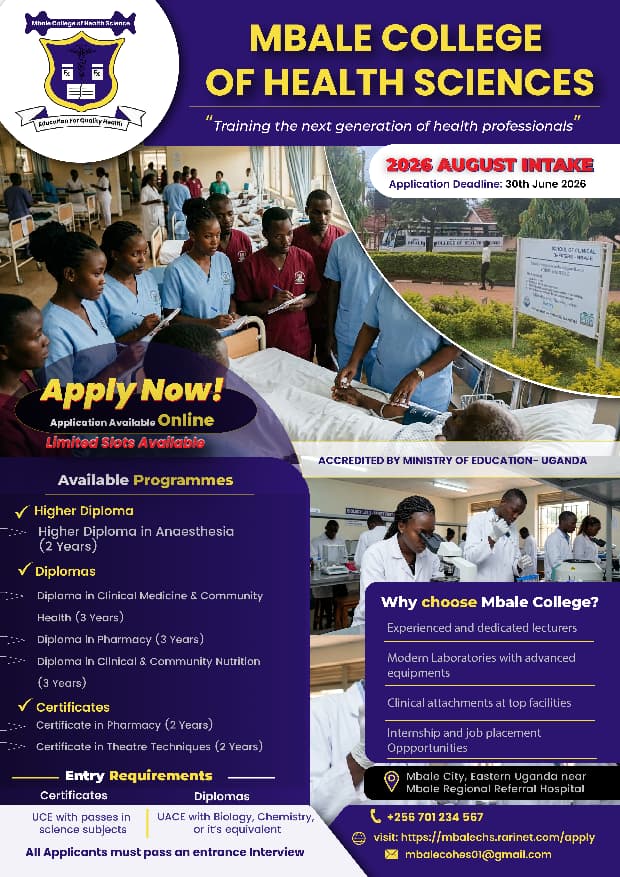
Admissions are Open
Complete these 5 steps to pay your application fee and submit your proof of payment.
The application fee is UGX 65,000. This fee covers the processing of your application and is non-refundable regardless of the outcome of your application.
Pay via bank deposit using the details provided below.
After making the payment, collect your bank deposit slip. This is your proof of payment.
When filling in the application form, go to Step 7: Documents & Payment. Upload your receipt in the "Proof of Payment" field and enter the transaction / deposit slip number in the "Payment Reference" field.
Once submitted, your application and payment are reviewed by the admissions team. You will receive a confirmation email with your application number. Track your application status at any time using your application number and email.
Make a bank deposit of the application fee to the account details below. Take a clear photo or scan of the deposit slip / transaction confirmation. Upload the receipt in Step 7 of the application form. Write your full name and date of deposit on the slip for easy verification.
Understand how your UCE results map to admission requirements.
| Grade | Description | Points | Status |
|---|---|---|---|
| D1 | Distinction 1 | 1 | Best |
| D2 | Distinction 2 | 2 | Excellent |
| C3 | Credit 3 | 3 | Good |
| C4 | Credit 4 | 4 | Good |
| C5 | Credit 5 | 5 | Average |
| C6 | Credit 6 | 6 | Average |
| P7 | Pass 7 | 7 | Pass |
| P8 | Pass 8 | 8 | Pass |
| F9 | Fail | 9 | Fail |
Cut-off: Best 8 aggregate ≤ 36 points qualifies for certificate admission.
| Grade | Performance Level | Percentage | Qualifies |
|---|---|---|---|
| A | Exceptional | 80 – 100% | ✓ Yes |
| B | Outstanding | 70 – 79% | ✓ Yes |
| C | Satisfactory | 60 – 69% | ✓ Yes |
| D | Basic | 40 – 59% | ✓ Yes |
| E | Elementary | 0 – 39% | ✗ No |
Start your application now. The process takes about 15–20 minutes.
Start Application
© 2026 Mbale College of Health Sciences. All Rights Reserved.